
This guide walks you through the steps required to manually upload and install mods on your Tarkov: SPT Fika server.
1. Log in to your game panel. Here is the link as a shortcut: game panel
2. Before making any file changes, stop your server from your game panel. This prevents corrupted files and ensures changes apply correctly.
3. You will need to access your server files using an FTP client such as FileZilla.
If you haven’t set up FTP yet, click the link below and follow our guide:
3. Once connected, navigate to your SPT server directory.
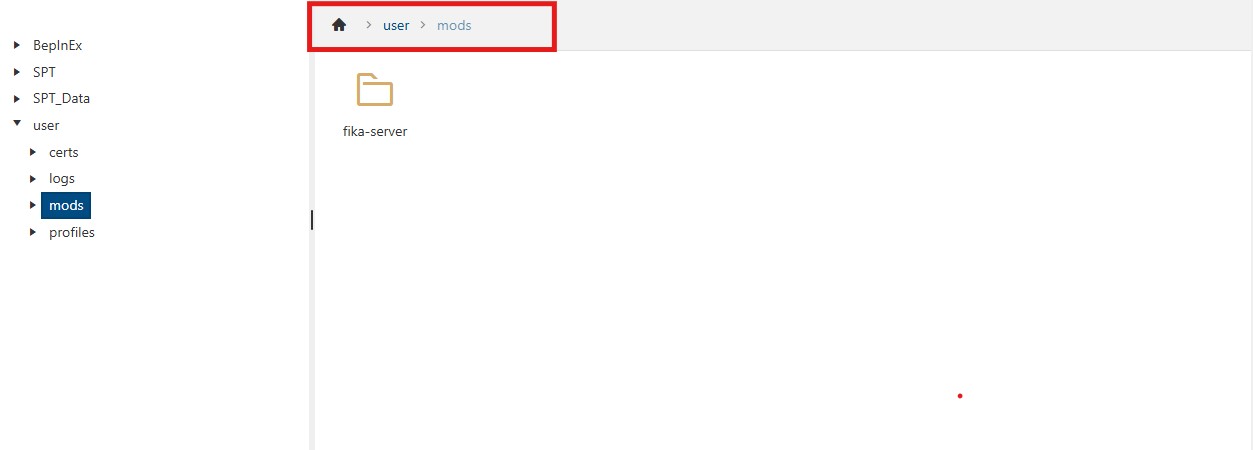
Make sure your mods are placed in the following folder:
⚠️ Common Issues
Sometimes mods are mistakenly uploaded to:
If your mods are currently inside spt\user, move them to:
4. After uploading your mod files, verify that they are in the correct folder.
5. Start your server and join the game to confirm the mods are working.
Did the above information not work for you?
Please click here to contact our support via a ticket.