
This guide will help you troubleshoot your server not showing after updating.
Order an ARK Ascended Server today with Citadel Servers
Log in to your Game Control Panel.
After updating and starting the server, ensure that your server's Console shows
that the server has finished starting up and is advertising to players.

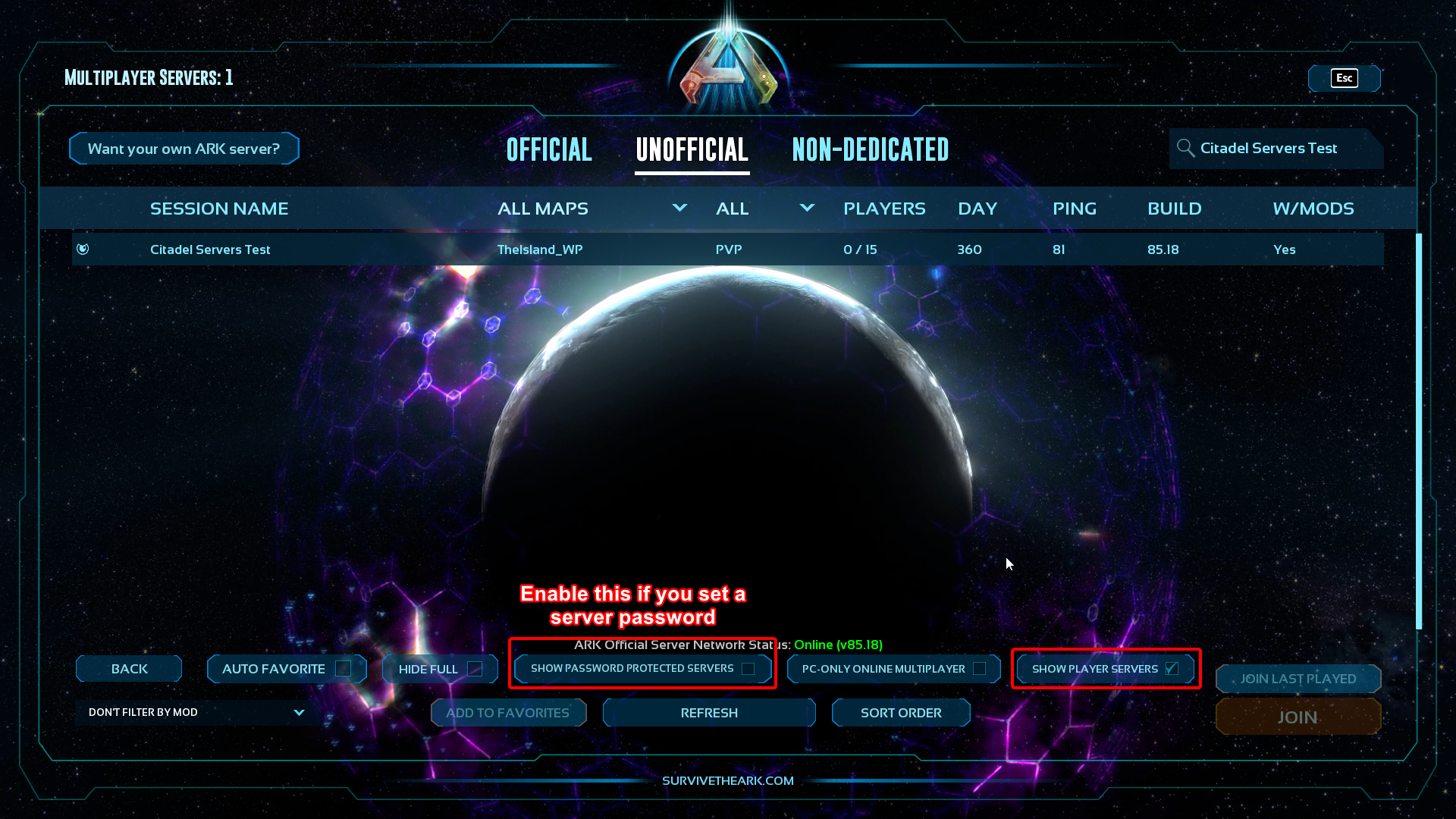
Ensure the Server Filters are set up correctly on the joining client's end.
Our ARK: SA setup requires "Show Player Servers" enabled.
If a server password is present, enable "Show password-protected servers".
(Refer to the final image at the bottom of the guide for reference.)
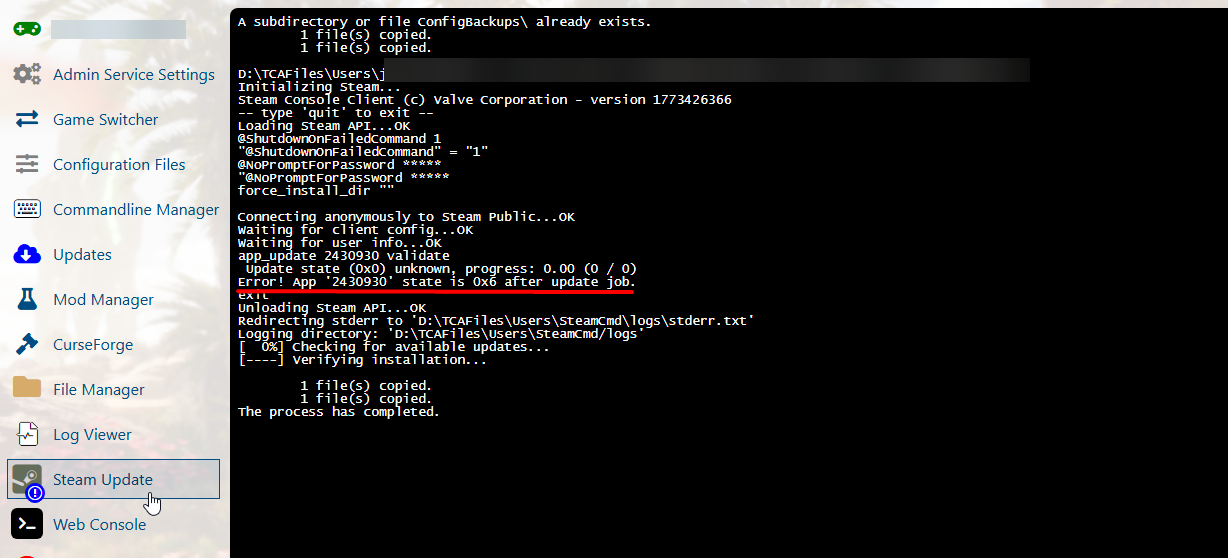
If the server is still not available, click the "Steam Update" button again and check the console that opens.
Wait for it to finish. If you find this error message, then this is the cause. The server did not update properly before.
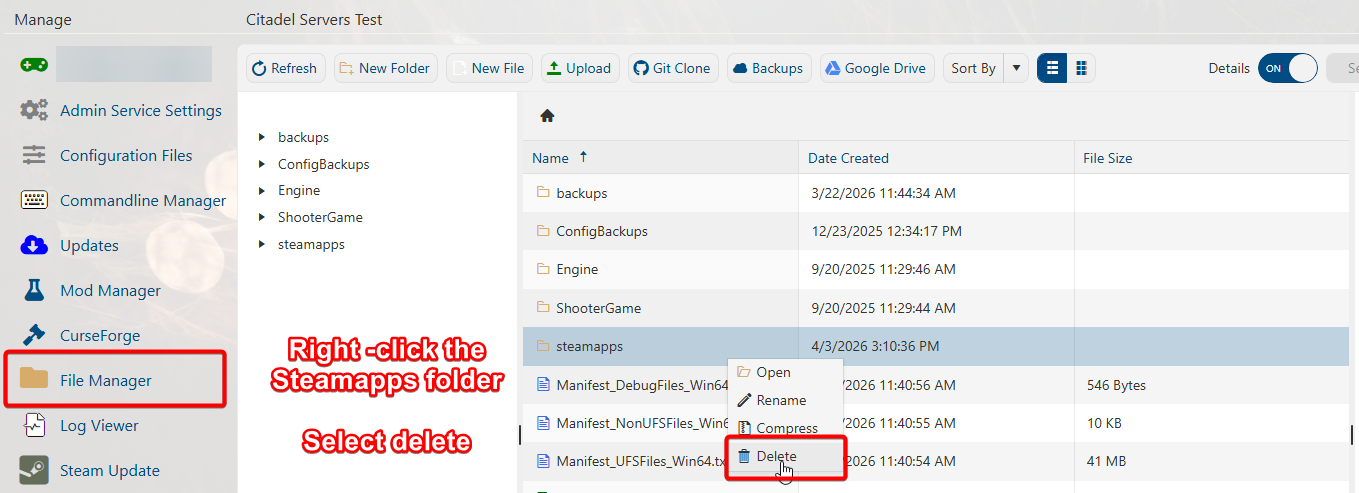
To resolve this, open your server's File Manager and delete the "steamapps" folder.
Once the folder is deleted, click the "Steam Update" button again. It should now show proper progression in the console.
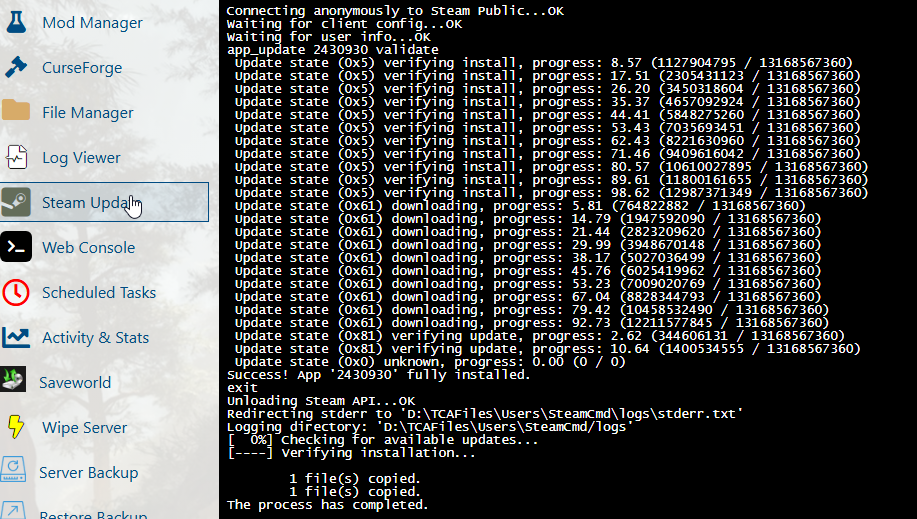
Once completed, you can now start the server. It should be available in the server browser.
Double-check the server filters if necessary.
Did the above information not work for you?
Please click here to contact our support via a ticket.
Log in to your Game Control Panel.
After updating and starting the server, ensure that your server's Console shows
that the server has finished starting up and is advertising to players.
Ensure the Server Filters are set up correctly on the joining client's end.
Our ARK: SA setup requires "Show Player Servers" enabled.
If a server password is present, enable "Show password-protected servers".
(Refer to the final image at the bottom of the guide for reference.)
If the server is still not available, click the "Steam Update" button again and check the console that opens.
Wait for it to finish. If you find this error message, then this is the cause. The server did not update properly before.
To resolve this, open your server's File Manager and delete the "steamapps" folder.
Once the folder is deleted, click the "Steam Update" button again. It should now show proper progression in the console.
Once completed, you can now start the server. It should be available in the server browser.
Double-check the server filters if necessary.
Did the above information not work for you?
Please click here to contact our support via a ticket.