

This guide will show you how to change the map on your ARK: Survival Ascended to a modded map
Step 1: Install the Modded Map via CurseForge
Open and log in to your Citadel Servers Game Control Panel.
Go to the CurseForge tab in your Game Control Panel.
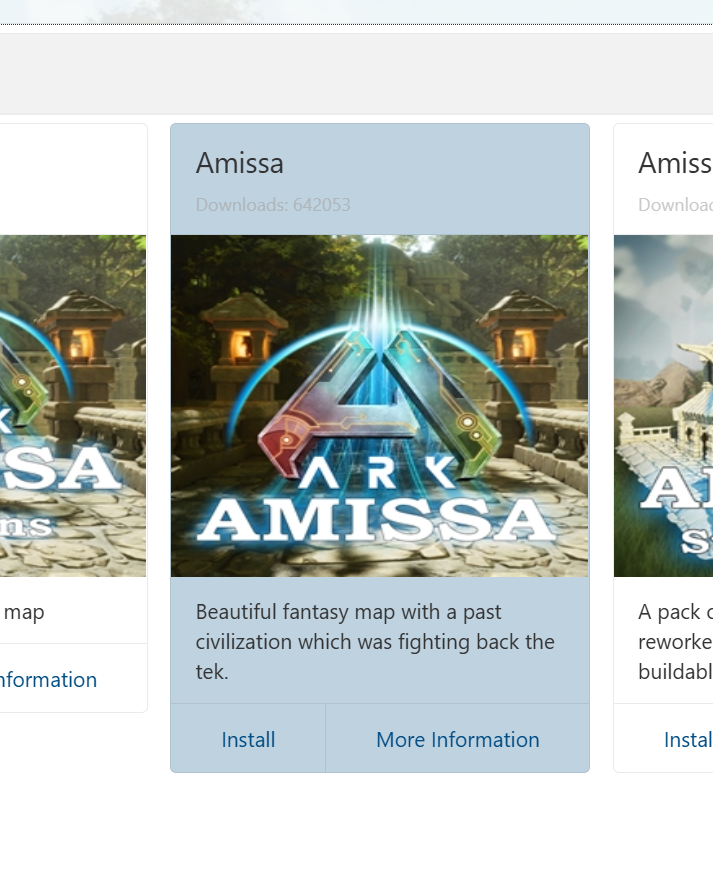
Use the search bar to find the map you want.
We will be using "Amissa" as an example.
Step 2: Install the mod
Click Install to add the map mod to your server.
Step 3: Setting the map in Commandline Manager
In the Game Control Panel, go to the Commandline Manager.
Click Modify on the Modded option.
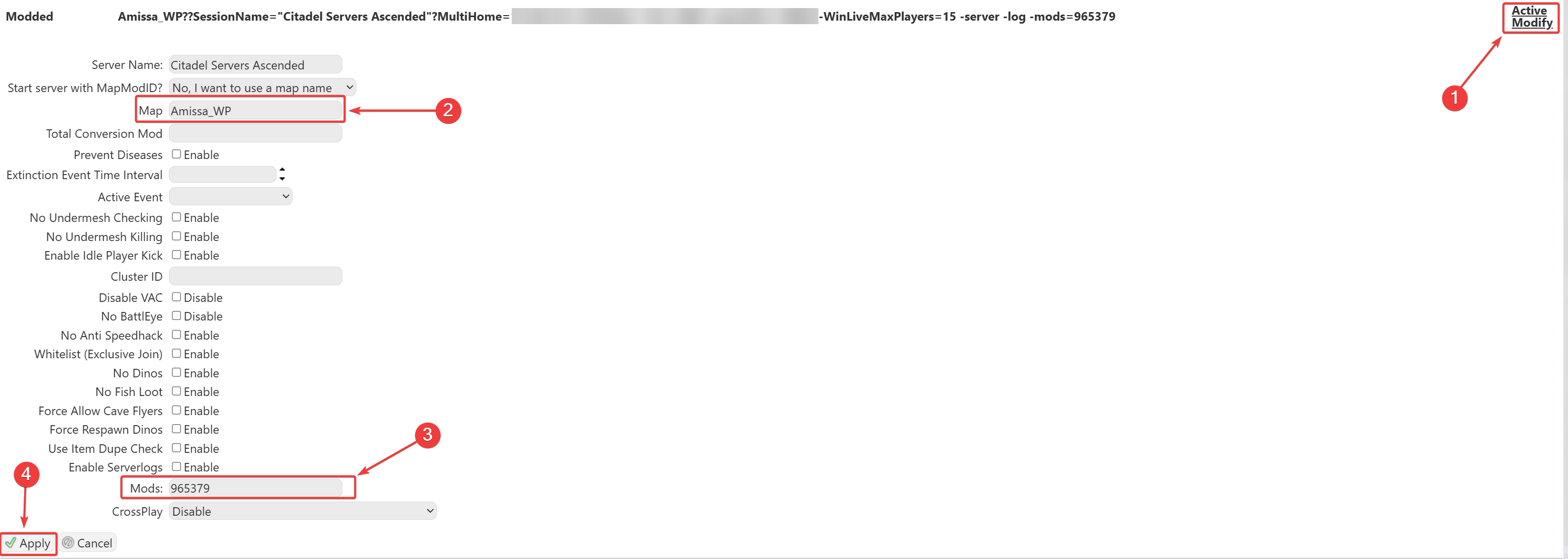
In the Map section, enter the map name.
You can find the map's name in its mod page
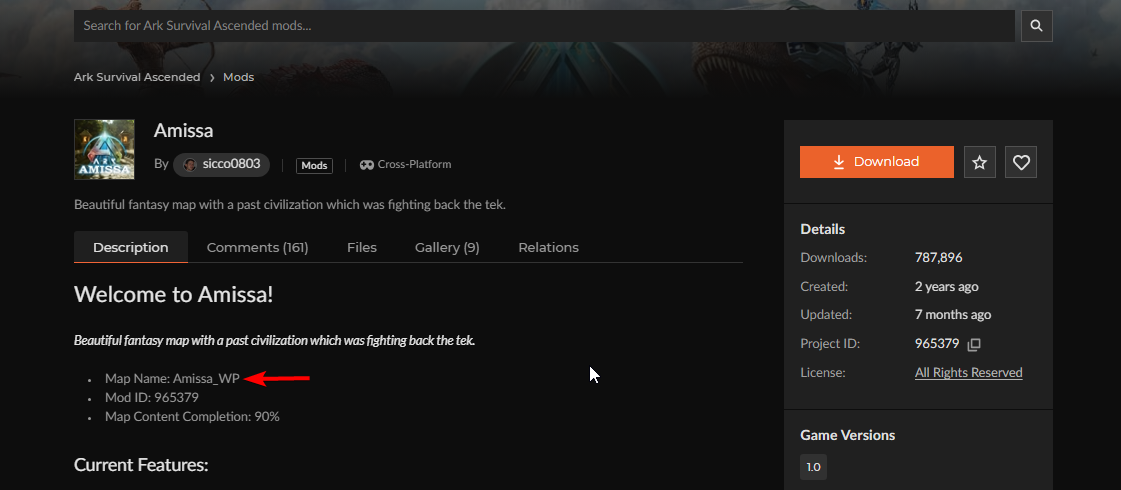
Make sure the Mod ID for the map is added to your mod list to ensure the map loads properly.
Mod ID(Project ID in the mod page) - 965379
This will load the Custom Modded Map on your server.
Once everything is set up and the server is started, you’ll be able to find your server in the in-game server list.

Did the above information not work for you?
Please click here to contact our support via a ticket.