
This guide will walk you through fully resetting your Factorio Server
Click here to order your Factorio server with Citadel Servers today!
A full reset will remove all worlds, saves, and configuration data, allowing you to start with a fresh server.
⚠️ Important: We strongly recommend taking a full backup before proceeding, as this process is irreversible.
1. Log in to your Citadel Servers Game Panel and stop your server.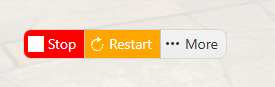
2. Click the More button beside the Start button.
3. Select Reinstall Server, then click the Reinstall button to begin the reset process.
4. Once completed, start your server.
Did the above information not work for you?
Please click here to contact our support via a ticket.