

This guide will show you how to enable cheat mode and use the available Co-op debug commands.
Click here to order your Mount and Blade II: Bannerlord server with Citadel Servers today!
1. Log in to your Citadel Servers Game Panel and stop your server.
2. Navigate to the File Manager tab and locate the mod configuration file at:
/saves/Mount and Blade II Bannerlord/CoopData/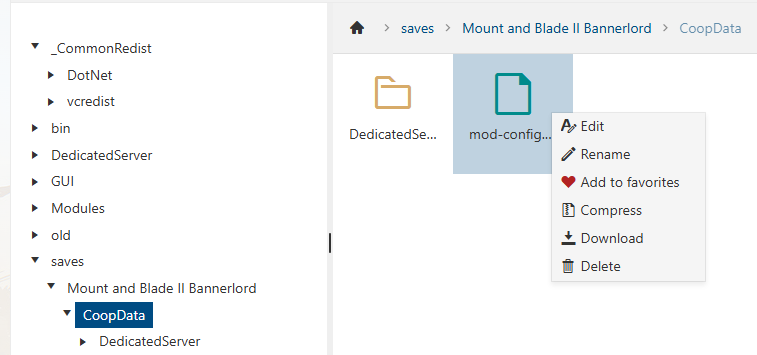
3. Open the mod configuration file, then find the following setting:
// Default is false."clientsCanUseCheats": false,
Change false to true:
// Default is false."clientsCanUseCheats": true,
4. Click Save, then start your server.
5. After enabling cheat mode, run the following command in the in-game console:
config.cheat_mode 1. You should then be able to use the Coop debug commands.
Did the above information not work for you?
Please click here to contact our support via a ticket.