
Click here to order your Mount & Blade II: Bannerlord server with Citadel Servers today!
This guide will show you how to Switch Game Modes on your Mount & Blade 2: Bannerlord Server
Mount & Blade II: Bannerlord offers multiple game modes, allowing you to customize your server experience based on your preferred style of gameplay. If you want to switch between different game modes, you can easily do so through your server configuration. This guide will walk you through the steps required to change the game mode on your Bannerlord server and ensure the new settings are applied correctly.
Changing the Game Mode on Your Mount & Blade II: Bannerlord Server
1. Log in to your Game Control Panel and navigate to your service.
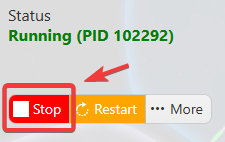
2. Before making any changes, make sure your server is stopped to prevent configuration issues and ensure the changes are applied correctly.
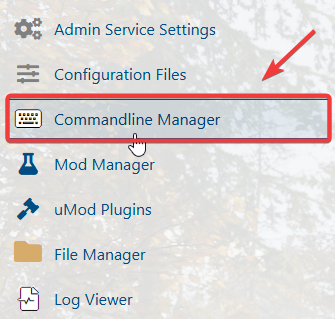
3. Navigate to the Commandline Manager Tab.
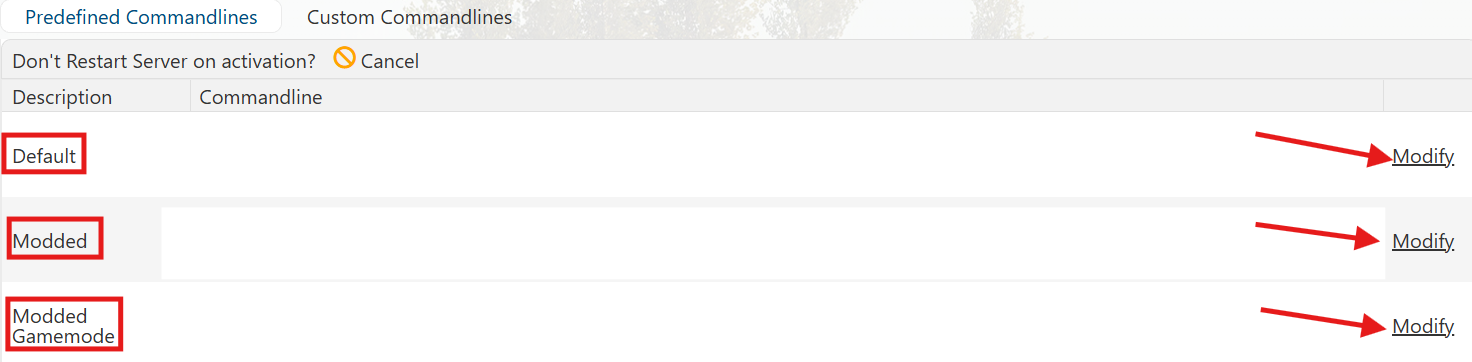
4. In the Commandline Manager, select the appropriate command line from the available Default, Modded, or Modded Gamemode options. Click the Modify button next to the desired command line to configure it.
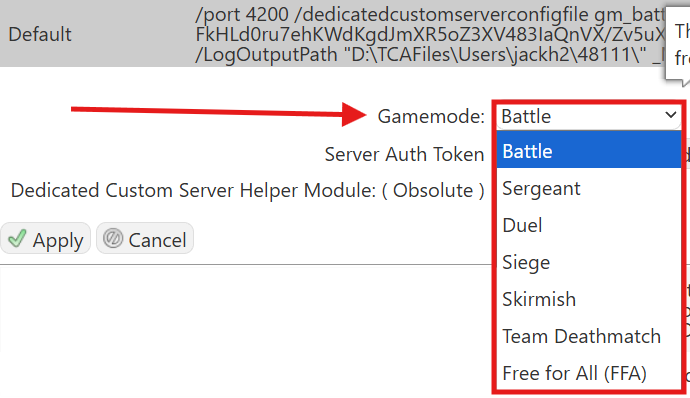
5. In the activated command line, locate the Game Mode field and select your desired game mode from the available options.
6. Once you have finished editing the settings, click the Apply button to save the changes to your server.
Did the above information not work for you? Please click here to contact our support via a ticket.